
Racing: drive and understand all six circuits#
A kart can travel a long way without making progress in this task. The job is to visit circular checkpoints in order, then repeat the circuit. The next gold checkpoint is your immediate target. The shape of the road tells you how to reach it; the counter tells you whether you did.
This tutorial starts with manual control, then hands the wheel to a planner. You will learn the six layouts, record a difficult corner, and configure an experiment that measures a completed lap. Start with Getting started with the control laboratory if the Lab is not running. Return to Task tutorials for the other tasks.
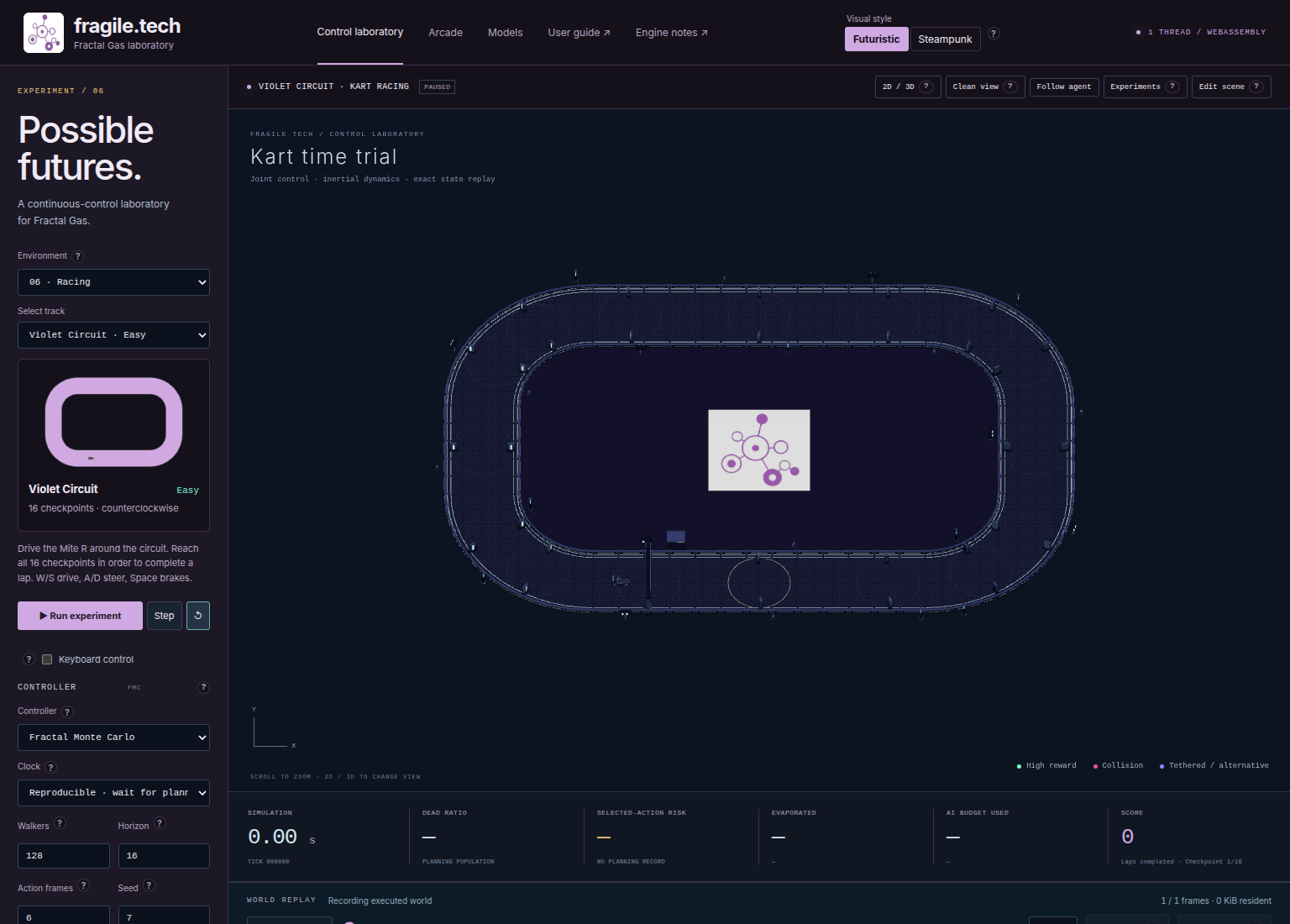
Fig. 16 Identify the kart, the next checkpoint, and the track selector before moving.#
Set up a repeatable first run#
Use this starting configuration for each circuit. It fixes the settings; it does not promise that a planner will complete every track.
Choose Racing under Environment, then Violet Circuit · Easy under Select track. Wait for the backend indicator to report WEBASSEMBLY.
Choose Fractal Monte Carlo, Walkers → 128, Horizon → 16, Action frames → 6, and Seed → 7. Leave the other FMC defaults: distance and reward weights
1, action noise0.2, elites0, and Perturb inherited actions enabled.Select Reproducible · wait for planning under Clock. Change Worker threads from its default
4to1; this is an explicit tutorial setting. Check the actual thread count reported by the backend.Set Tree → Pruned, disable Keyboard control, and press ↺ Reset. Setting changes rebuild the world, so reset after finishing configuration. The initial page load may already have executed an action; reset leaves an unambiguous, paused starting point.
Inspect the preview below Select track. It shows the active outline, direction, difficulty, and checkpoint count. Use 2D / 3D to snap between overhead and angled views. Right-drag to rotate and tilt; scroll to zoom; middle-drag or Alt-drag to pan. Follow agent gives a close view while keeping your chosen angle. Whole arena and Reset view restore the scene’s initial angle, arena center, and default zoom.
All six presets use the same kart actuator and vehicle physics. Their difficulty comes from geometry. Each physics frame lasts 1/60 simulated second, so six action frames advance 0.1 simulated second. The nominal 16-action lookahead is 1.6 seconds. Wall-clock waiting time is separate.
Learn throttle, steering, and braking#
First make one modest movement and watch its consequence. Full throttle through an unfamiliar bend makes it difficult to tell whether the mistake was direction, speed, or aiming at the wrong checkpoint.
With Violet reset and paused, enable Keyboard control. Click the world so a numeric field, dropdown, or text area no longer has focus.
Hold W briefly for forward throttle. Release it and inspect the pose. Hold W with A or D to steer while advancing. Steering is relative to the kart’s heading, not the screen’s horizontal axis.
Release throttle and hold Space to brake. S commands reverse throttle; it is not the brake key. Use short inputs while learning a bend.
Aim the kart’s centre inside the gold checkpoint disk. Observe the target change when it counts, then continue toward the newly highlighted disk.
Try Follow agent to inspect a corner, then Whole arena to identify the next stretch. Camera changes do not reset progress.
Keyboard input requests two physics frames at about 30 Hz while mapped keys are held. It pauses automated driving. Releasing every key stops those requests: the manual world does not keep advancing time to show coasting. The kart can still have velocity in the paused state. To observe zero-input motion, open Edit scene, expand Actuator channels, set throttle, steering, and brake to zero, then press Apply action · 1 frame. Each press advances physics; moving a slider alone advances nothing.
Keyboard control targets the selected body, or the first controlled body when none is selected. These circuits contain one kart. If you add bodies, check your selection before diagnosing an unresponsive vehicle.
Input |
Kart command |
Meaning |
|---|---|---|
W / S |
Throttle |
Forward or reverse drive. |
A / D |
Steering |
Turn relative to the kart’s heading. |
Space |
Brake |
Apply the dedicated braking channel. |
Release all keys |
No further manual steps |
Stops advancing time; does not erase velocity. |
Read checkpoints, laps, and planner decisions#
The engine checks the kart’s centre against its current target’s radius. Entering a later checkpoint first does not advance the sequence. There is no required crossing direction or separate directional timing-line test. The gantry, painted guide, and curbs help you see the course; boundary and hole polygons define physical contact. Driving through an arch is not an additional scoring event.
After the final target, the next target returns to checkpoint 1 and the completed lap display increases. Waiting at the finish cannot substitute for visiting the route. Violet retains overlapping adjacent checkpoint disks; historical circuits use separated disks. Do not infer identical spacing across tracks.
Walls and bodies are nonlethal in these presets. A collision can impede motion and affect reward without ending the world. Live driving also continues after a lap. Lap score, accumulated planning reward, and an experiment’s success rule are different quantities.
To let the planner drive:
Disable Keyboard control, finish any edits, and press ↺ Reset for the common starting point.
Press Step once. The controller searches, chooses an action, and applies six physical frames. A visible displacement need not reach the first checkpoint.
Compare the solid kart with the future paths. The kart shows executed motion; paths show proposals. A promising branch is not a completed lap.
Press Run experiment for continuous live planning, then Pause experiment to inspect a corner. This live button differs from Run benchmark inside Experiments.
Record where progress stalls before changing settings. A longer horizon or larger population changes the search budget, but neither guarantees success. Export the recording before a setting change resets its history.
See Controls, planners, and diagnostics for controller options and Record, replay, and continue experiments for inspecting recorded search branches.
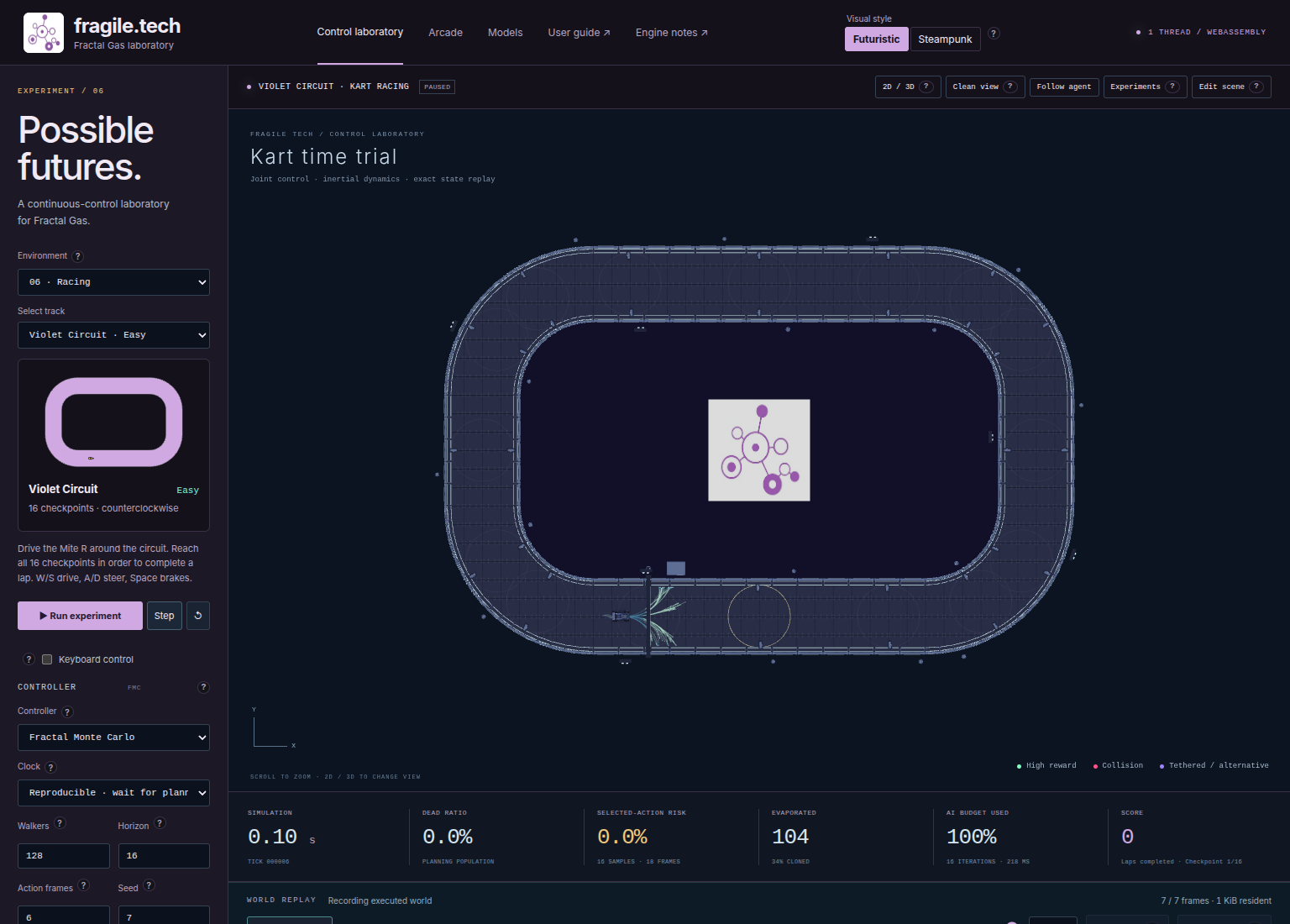
Fig. 17 One Step separates executed movement from possible futures. Checkpoint progress need not change during this short interval.#
Practise each circuit#
Selecting another track rebuilds the world and clears its in-memory run. Export first. For each exercise, select the named track, retain the baseline settings, reset, and inspect the outline. Directions below come from scene metadata; follow the highlighted checkpoints when camera orientation makes clockwise difficult to judge.
Violet Circuit · Easy#
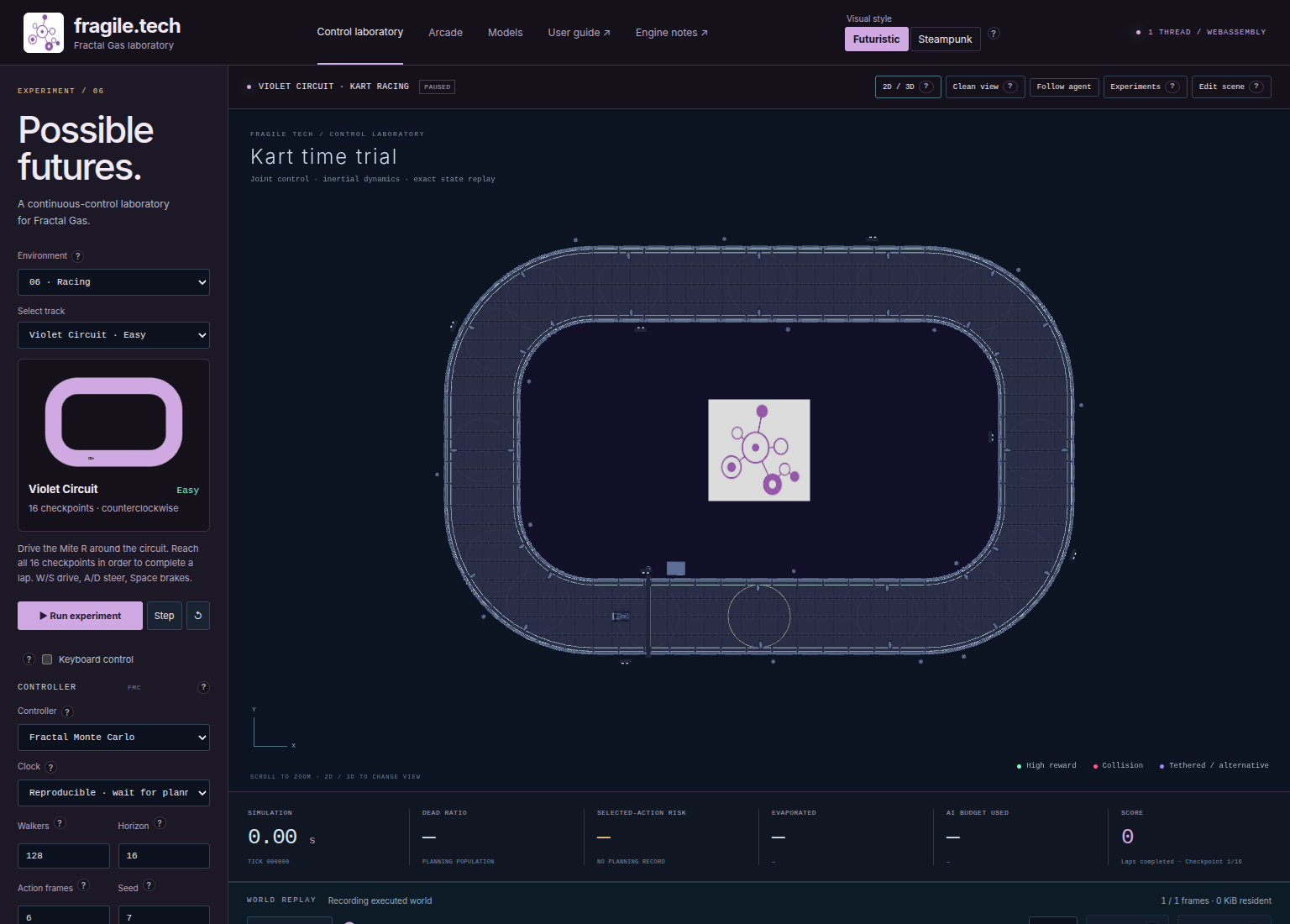
Fig. 18 Violet’s broad, consistent bends provide room to learn the kart’s response.#
16 checkpoints; counterclockwise. This is the original Lab oval. Start here to learn the difference between steering the vehicle and moving the camera.
Drive manually toward the first gold disk using short throttle inputs.
At a bend, use braking and steering as separate experiments: first reduce speed, then inspect how steering changes direction while moving.
Follow the next target instead of treating the start gantry as the objective. After 16 ordered checkpoints, verify one completed lap.
Reset and try the FMC baseline. Compare where it turns with your recorded route, without assuming its proposed paths will be executed.
The one-lap experiment target is Gates crossed → 16. This small count helps you learn the display; it does not make gate counts comparable with densely sampled tracks.
Roots Oval · Easy#
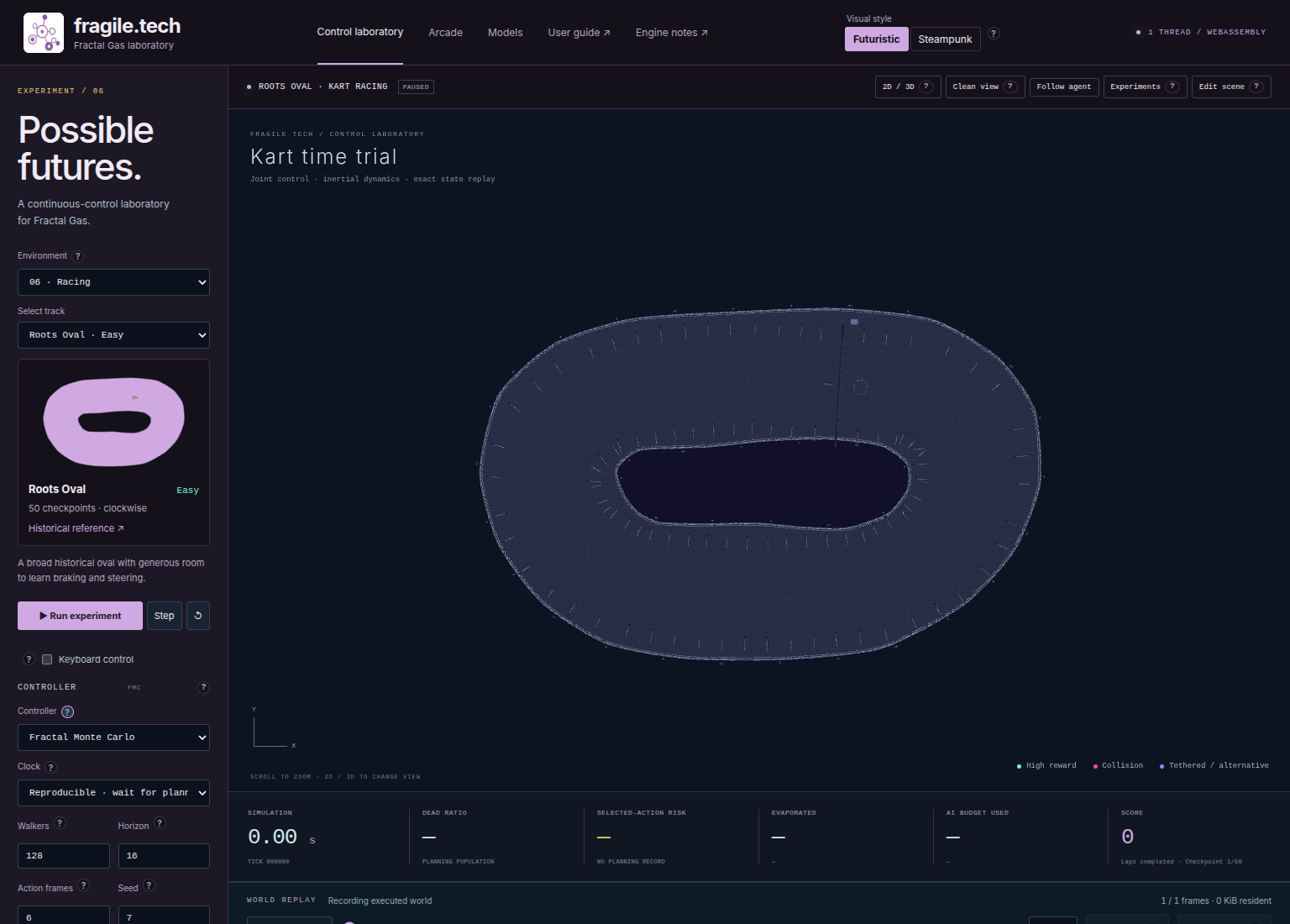
Fig. 19 Roots preserves an irregular outline; its bends are not identical copies.#
50 checkpoints; clockwise. Roots gives generous clearance around a slightly irregular oval. Repeating exactly the same steering input around every bend need not fit the whole outline.
Use the preview’s spawn arrow and gold target to establish direction. It is opposite to Violet’s declared direction.
Manually follow several targets around a broad bend. Check the next disk before extending a throttle input; a smooth-looking road can still move away from it.
Record one comfortable section, then continue around the remaining oval. Look for checkpoint progress to wrap only after the complete sequence.
Reset and let the planner attempt the same layout. Compare motion at the irregular bends using world replay, rather than judging only candidate clouds.
Set the one-lap goal to 50 gates. More checkpoint events than Violet reflect route sampling, not a direct measure of distance or difficulty.
Fearless Circuit · Medium#
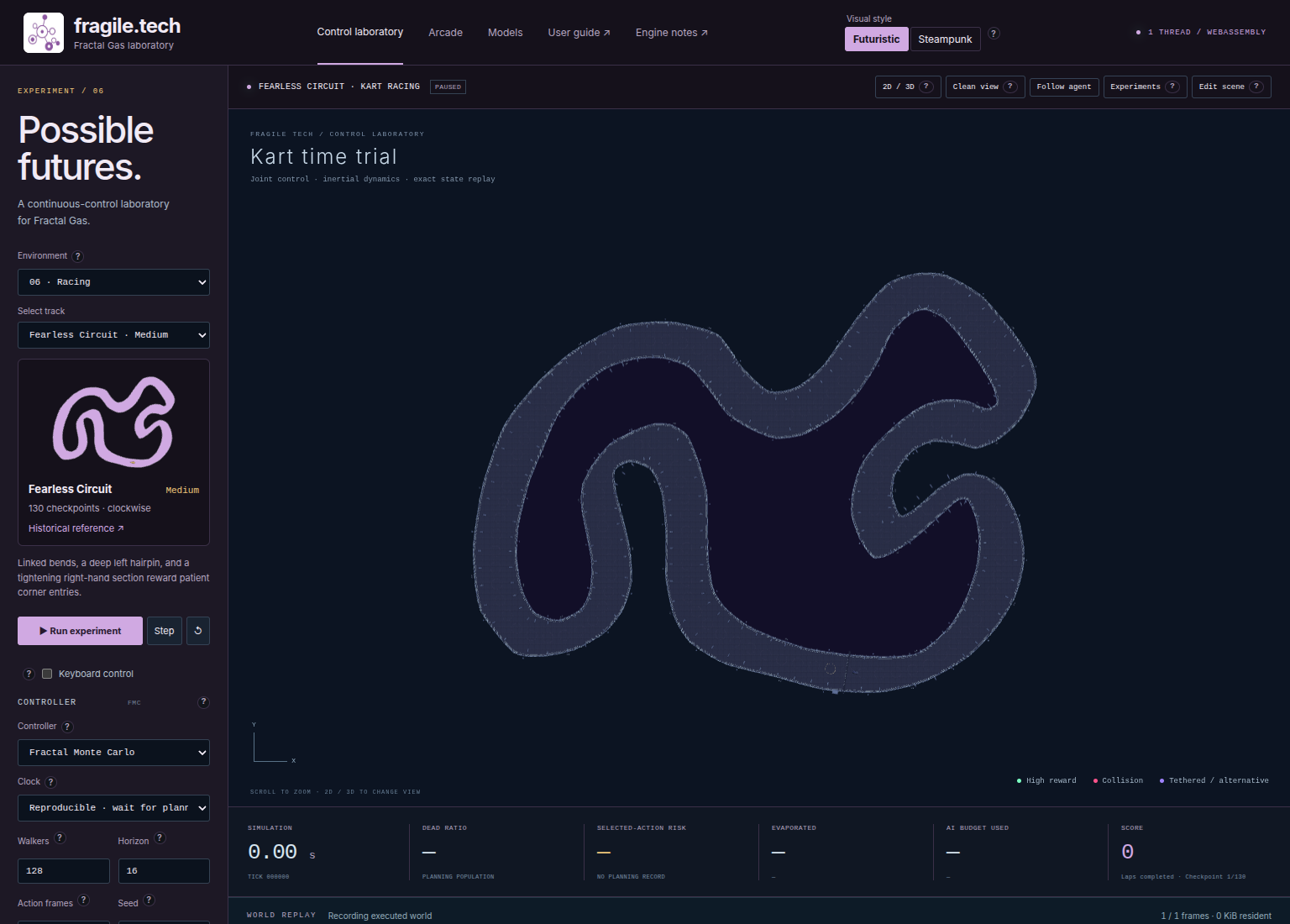
Fig. 20 Trace the deep hairpin and the following changes of direction before starting.#
130 checkpoints; clockwise. This layout combines a deep left hairpin with linked bends and a tightening right-hand section. Finishing one turn still leaves the problem of approaching the next target.
Locate the inward hairpin overhead. Trace the road through it so nearby but later road sections do not distract you from the ordered route.
Drive in short intervals near the hairpin. Brake to experiment with entering at a lower speed, keeping the next disk in view.
Inspect the following target before accelerating for longer. Record where a correction carries the kart toward the opposite edge.
Try a planned run from reset. If progress stalls, save and replay the approach before changing lookahead or action duration.
Use 130 gates for one lap. A search tree reaching across the hairpin does not prove the executed kart visited its intermediate checkpoints.
Sepang Kart · Hard#
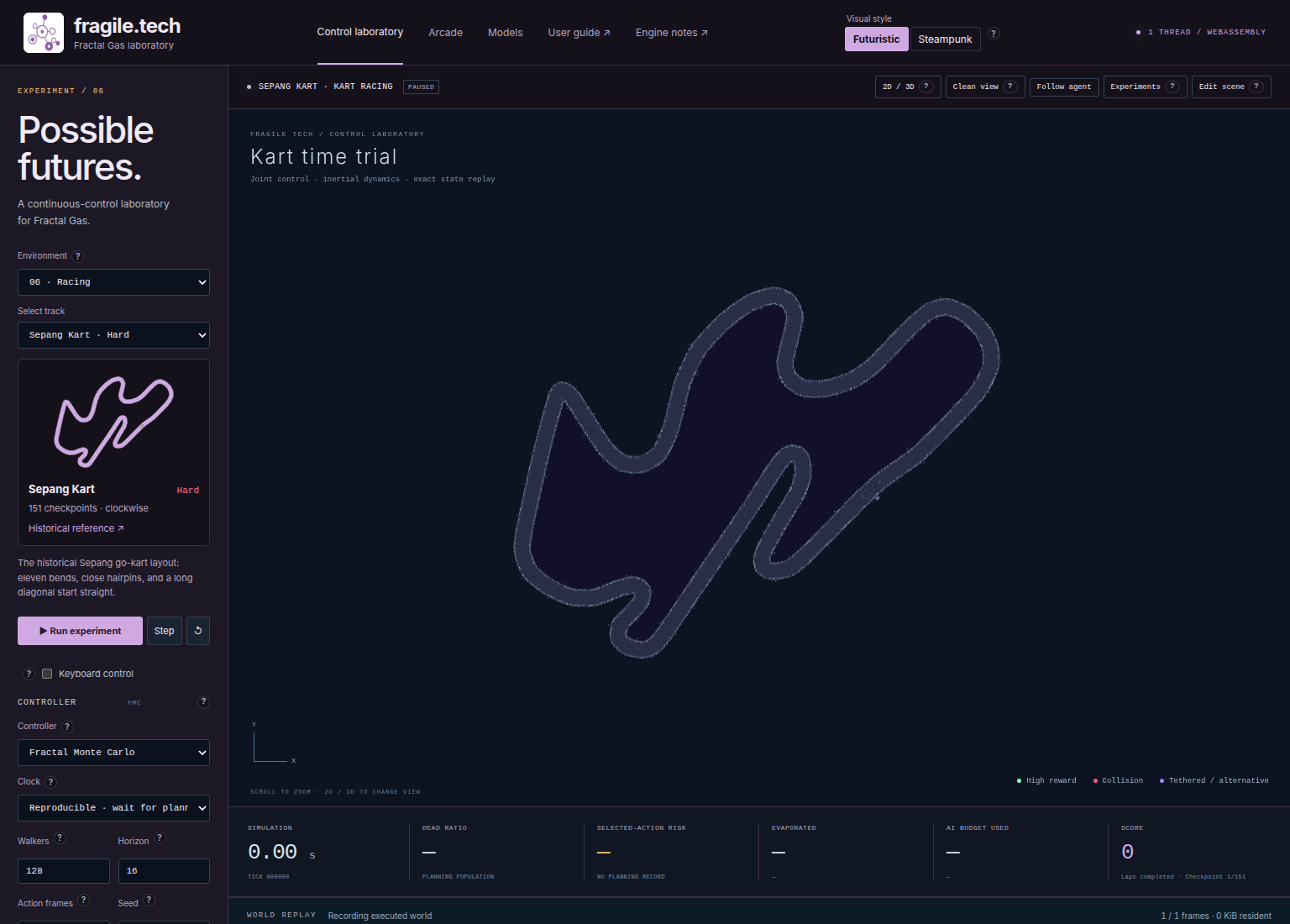
Fig. 21 The diagonal start straight and close hairpins make distinct practice sections.#
151 checkpoints; clockwise. The library describes eleven bends, close hairpins, and a long diagonal start straight. This reconstructs a go-kart layout; its name does not identify the Formula One circuit geometry.
Locate the diagonal straight and follow it visually into the first bend before applying throttle. Use checkpoint order to keep adjacent road sections apart.
Drive a short straight segment, then practise braking before continuing into the bend. Save an approach to inspect in replay.
Work through close hairpins in short intervals. If the target remains behind, return to that disk rather than skipping to a nearby road section.
Run the planner from reset and inspect the same approach. For a controlled parameter comparison, use a saved approach as the shared root in Experiments.
The one-lap target is 151 gates. A short frame limit can end an incomplete trial; distinguish reaching that limit from a terminal collision.
Original Obstacle Circuit · Hard#
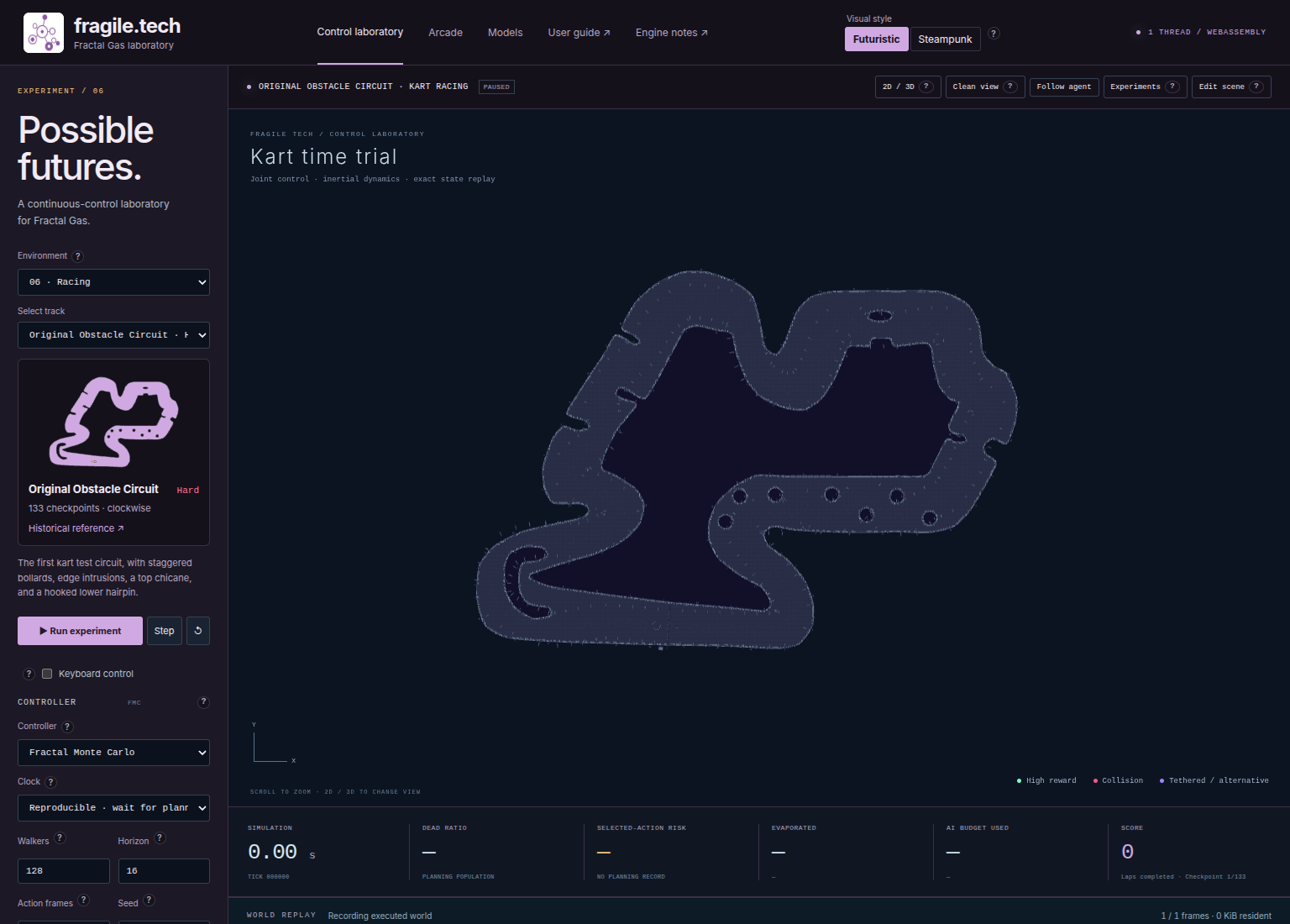
Fig. 22 Inspect both road edges and obstacles: an open-looking section can still contain something to avoid.#
133 checkpoints; clockwise. Staggered bollards, shallow edge intrusions, a top chicane, and a hooked lower hairpin break up this course. Seeing the next disk does not imply a straight, obstacle-free path to it.
Inspect the outline for notches and separate obstacle islands. Zoom when necessary, then restore the whole-course view to keep their order clear.
Drive toward the next disk while leaving clearance for the kart’s full body. Scoring uses the centre; collision geometry still has physical extent.
At staggered obstacles, inspect the passage beyond the one immediately ahead. Use short movements to avoid committing to an awkward approach to the next target.
Mark a contact or stalled approach. Replay overhead to determine whether an edge intrusion or an interior obstacle caused contact.
Use 133 gates for one lap. Obstacles and walls remain nonlethal, so contact is not automatically an episode failure or termination.
Fearless Obstacle Field · Hard#
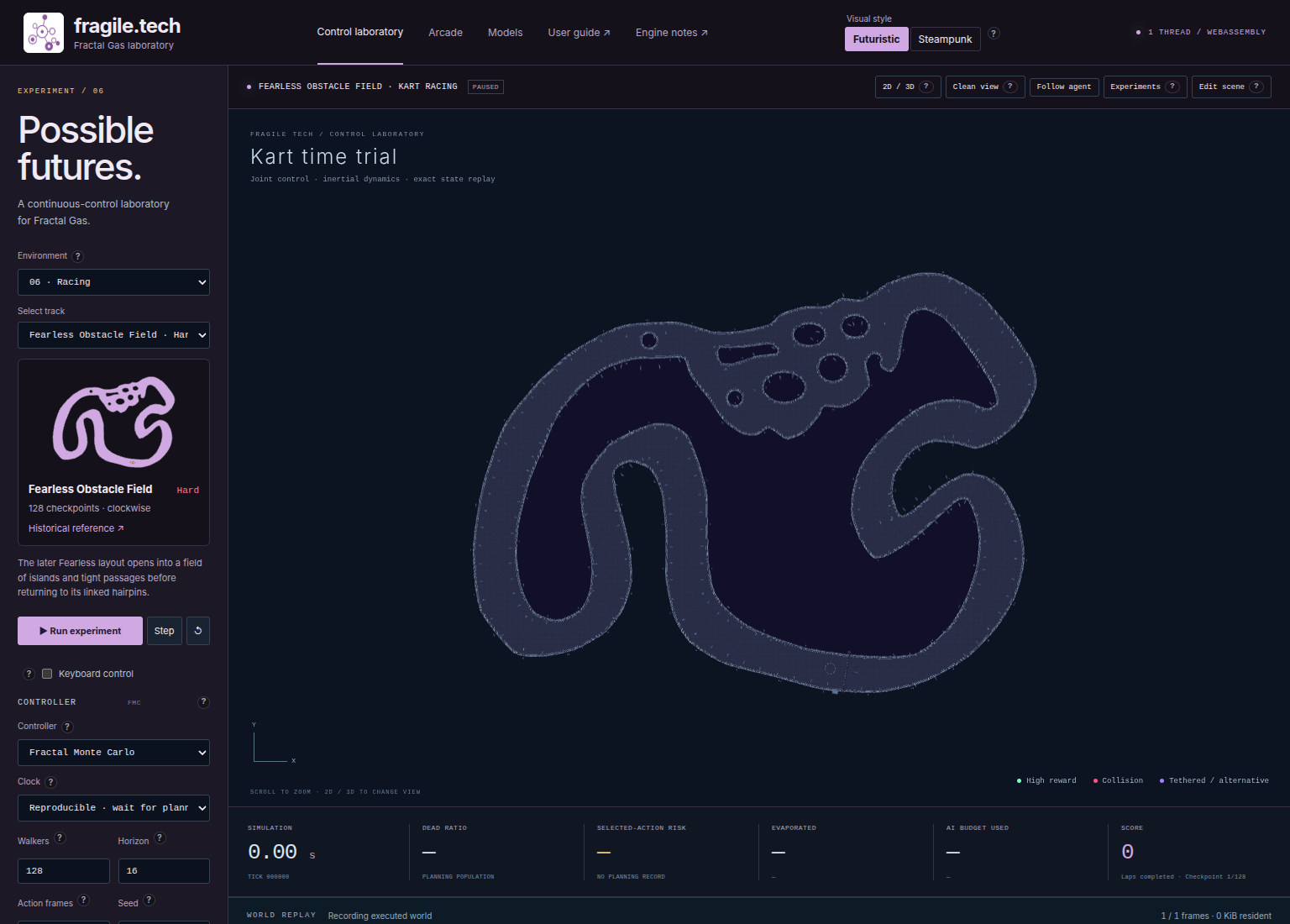
Fig. 23 Several island passages are physically open; ordered checkpoints select the route that counts.#
128 checkpoints; clockwise. This scene shares the Fearless perimeter except for a widened obstacle section. Its route selects one continuous passage between islands, although other local passages remain physically open.
Locate the widened section and islands overhead. Distinguish open road from the particular passage containing the next target.
Move through the checkpoint route in short intervals. A tempting gap can be traversable without advancing the task if it misses the gold disk.
On leaving the islands, identify the linked bends ahead. Returning to a familiar Fearless outline does not reset the checkpoint.
Compare manual and planned recordings. When progress stops, determine whether the kart missed a target or was physically blocked; those are different problems.
Set the goal to 128 gates. Do not reuse Fearless Circuit’s target of 130: this variant has its own sequence and lap divisor.
Record a corner and measure a lap#
Recording captures manual and planned movement. Pause, drag WORLD REPLAY to an approach, and press Play world. Enter an Event note and press Add marker to label a missed checkpoint or contact. Jump to event… also lists recorded gate events. Back to live returns to the authoritative endpoint; Continue here restores the selected physical frame and appends a segment. Continuation retains the earlier recording but does not restore earlier planner memory. See Record, replay, and continue experiments for checkpoints.
For a first benchmark:
Select a circuit and open Experiments. Leave All preset scenes unchecked.
Set Seeds → 7, Population → 128, Lookahead · actions → 16, and Action duration · frames → 6. Choose FMC for Variant A, CEM for Variant B, and leave JSON overrides
{}.Select Success metric → Gates crossed and the target below. Check it even when the scene supplies an evaluation default.
Use Episode limit · frames → 3600, equivalent to 60 simulated seconds. This is a bounded trial budget, not a promise of a lap.
Press Run benchmark, wait for Benchmark complete, and inspect success, frames, reward, and computational work before exporting the report.
The runner checks after each physics frame and stops at success, termination, or the frame limit. Its worker is serial; the live thread selector does not parallelize it. Equal population and horizon need not mean equal work across controllers.
Circuit |
One-lap Gates crossed target from reset |
|---|---|
Violet Circuit |
16 |
Roots Oval |
50 |
Fearless Circuit |
130 |
Sepang Kart |
151 |
Original Obstacle Circuit |
133 |
Fearless Obstacle Field |
128 |
Gate goals use absolute world counters. From 12 gates on Violet, target 16 finishes the current lap; target 28 collects 16 more ordered gates. A nonterminal root already at the target succeeds immediately. See Experiments, comparisons, and performance for comparisons from a shared approach.
Before switching scenes or settings, pause and Export run. Memory recordings use .fgclab; device-backed recordings use .fgcrec. Open run recovers the scene and recorded motion. Set clock and threads explicitly when continuing: portable planner settings do not include those selectors.
Edit a course and recover from problems#
Follow Scenes, agents, and the editor for the editor course. Export the unmodified scene and any valuable run first. Committing edits recompiles the world, resets progress, clears selection, and starts new histories.
The JSON gates array supplies ordered positions and radii. Editing only a decorative centreline does not redefine walls or checkpoint order. After changing the checkpoint count, update presentation.score.divisor, presentation.progress.cycle, and evaluation.target if the intended goal remains one lap. Keep evaluation.metric set to gates. Place targets inside driveable road and test the complete route.
Optional circuit metadata supplies name, difficulty, direction, and references. Imported circuits without recognized difficulty metadata display Unrated. The preview uses active geometry, including imported scenes and replay archives. The repository’s circuit notes describe hand-traced reconstructions and approximate obstacle dimensions; these distances are simulation units, not surveyed measurements.
Symptom |
Check and recovery |
|---|---|
Keyboard inactive |
Enable Keyboard control, click outside form fields, and check the selected body. |
Kart freezes on key release |
Manual stepping stopped. Use zero-input actuator frames to inspect coasting. |
Passing an arch gives no progress |
Bring the kart centre into the gold checkpoint disk in order. |
Motion without checkpoint progress |
A required disk may be behind; later targets cannot substitute. |
Planner stalls at a bend |
Save and replay the approach; compare one setting change from a common root. |
Benchmark succeeds immediately |
Its absolute gate target was already met; raise the target total. |
Driving continues after a lap |
Live play continues; a benchmark goal supplies a stopping rule. |
Track change removed a run |
Open an exported archive; export before future scene changes. |